PDF Page Remover
Delete pages from your PDF: a blank one, an old one, any you no longer need. The pages you keep stay exactly as they were. Free, in your browser.
Drop your PDF here
or browse your files. Any number of pages
Remove pages
In a PDF of any length
Out the same PDF, minus those pages
Nothing uploaded
No watermark, no sign-up. Your file never leaves this device.

How to delete pages from a PDF
1
Drop your PDF
Every page of it shows in the strip under the editor, numbered from the first.
2
Trash the extra pages
Point at a page and press its trash button. On a phone, tap the page first, then the button.
3
Download
PDF is already chosen. The pages you kept come back in one file, and the one you dropped is left as it was.
Removed from our sample
Our sample is a dental office's six-page new patient packet with two pages it does not need. Each change below was checked in the file Download gave us.
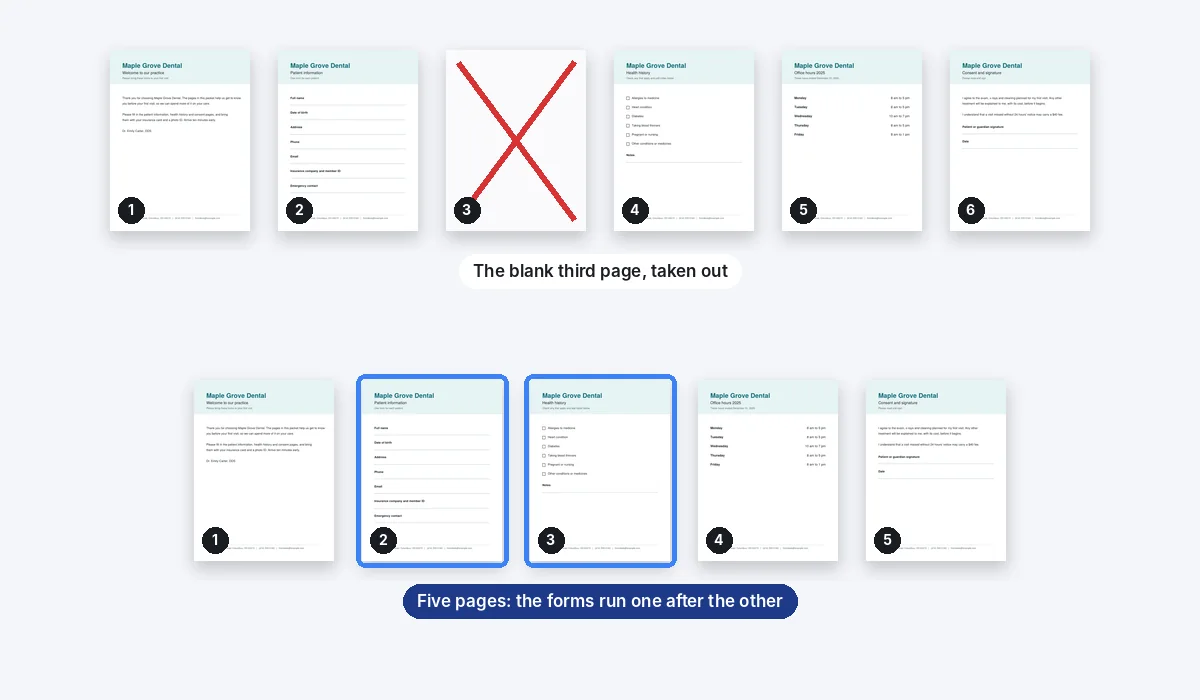
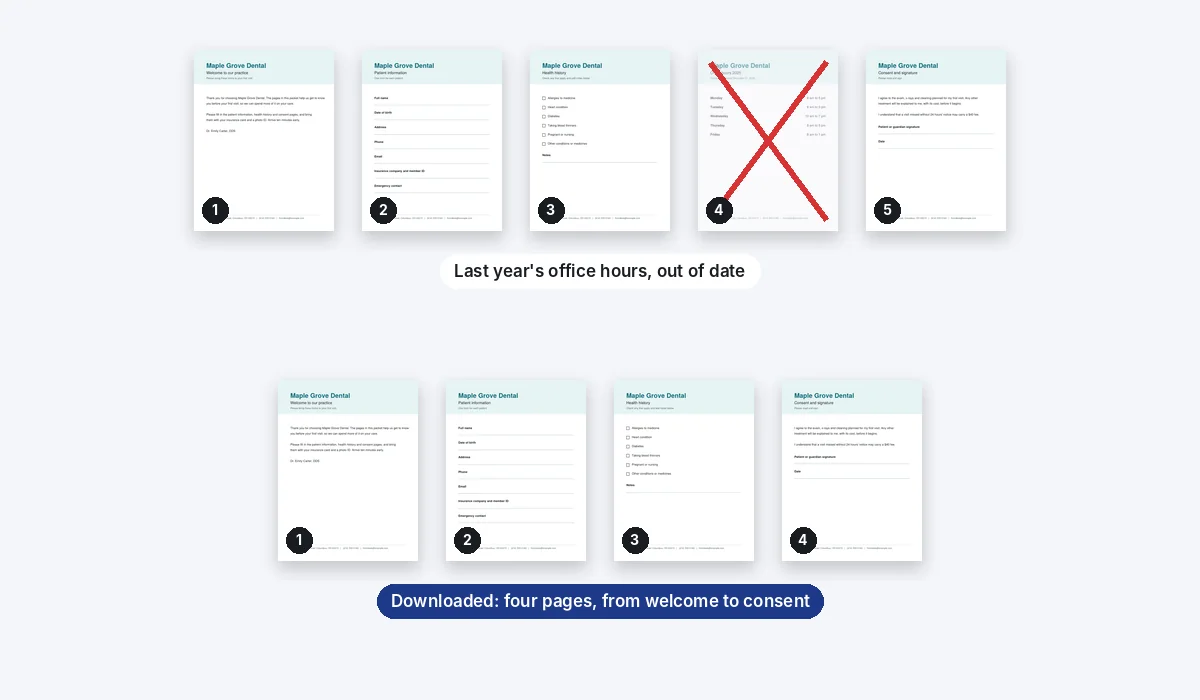
The pages you keep are copied as they are, text and links included. The packet weighed 6 KB going in and 4 KB coming out.
Pages go one press each, with their own button: there is no box to type a range such as 3 to 7.
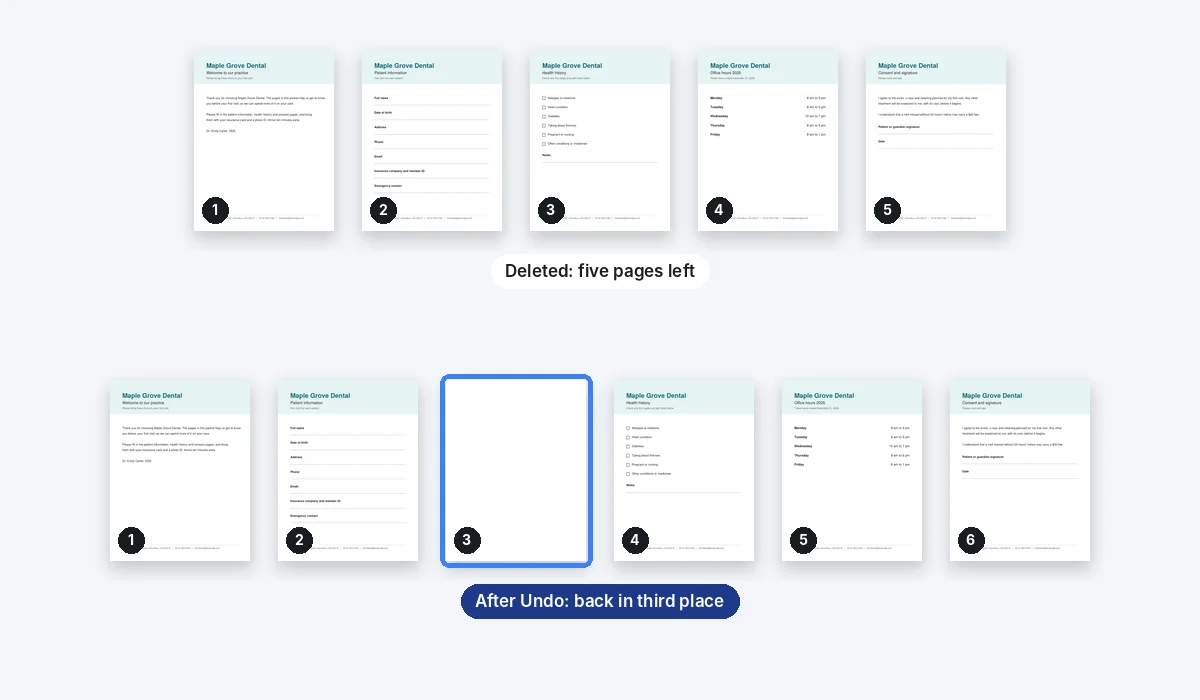
The download leaves out the pages you took out. The design in this browser still holds the whole PDF you dropped, and Undo brings them back while you work.
More for your PDFs
The same editor, from other doors.
Questions
How do I delete pages from a PDF?+
Drop the PDF here and its pages open in the Compix editor. Press the trash button on each page you want gone, then Download, with PDF already chosen.
Is the PDF page remover free?+
Yes. No account, no watermark, however many pages you take out.
Can I remove several pages at once?+
Not in one press. Each page has its own trash button, so taking out ten pages takes ten presses. On a long PDF the strip scrolls to reach them.
Can I undo a delete?+
Yes. Undo, or Ctrl+Z (Cmd+Z on a Mac), brings the last deleted page back to its place, with anything you added to it. We deleted our blank page, undid it, and deleted it again.
Does it change my original file?+
No. The PDF on your device stays as it was; Download saves the shorter one as a new file.
Will the pages I keep look the same?+
Yes. Nothing on them is redrawn: their words, links and pictures come over exactly, so they print as before and a search still finds their text. Our four kept pages weighed 4 KB together, down from the packet's 6 KB.
Can I delete a page on my phone?+
Yes, in your phone's browser too. Tap the page in the strip to open it, and its trash button shows on it; then tap that.
Can I keep just a few pages?+
Yes: take out the rest, then download the pages you kept. Download has no page picker yet.
Can I change the order of the pages too?+
Yes, in the same strip: drag a page to move it. The PDF organizer page shows how.
Are my files uploaded?+
No. The PDF never leaves your device: this browser tab opens it, takes out the pages and writes the new file. Nothing is sent to a server for that. If you sign in to save your work, the design is kept online so it opens on any device.
Drop a PDF to take pages out
No account needed to edit and download. Sign in when you want to keep the design.
Drop your PDF here
or browse your files