Your best character already exists.
It's split across your Midjourney grid.
You generated 50 images with --oref or --cref and careful prompting. Maybe 10 are usable. The face in image 3 is perfect, but the outfit in image 7 is better, and the accessories in image 9 are what you need. Your perfect character is a combination of parts from different images.
Everyone tells you to re-prompt, adjust --cw, try different seeds, use Vary Region. All of that costs more credits, takes more time, and introduces more randomness. Compix does the opposite: take the 10 images you already have, draw shapes on the regions you want to mix, and get 6,500+ unique character variations without generating a single new image. Everything runs in your browser and nothing uploads: an account stores your email, never an image. Mix uses a free account; comparing two images needs none.
FROM YOUR GRID
The character you wanted, assembled.
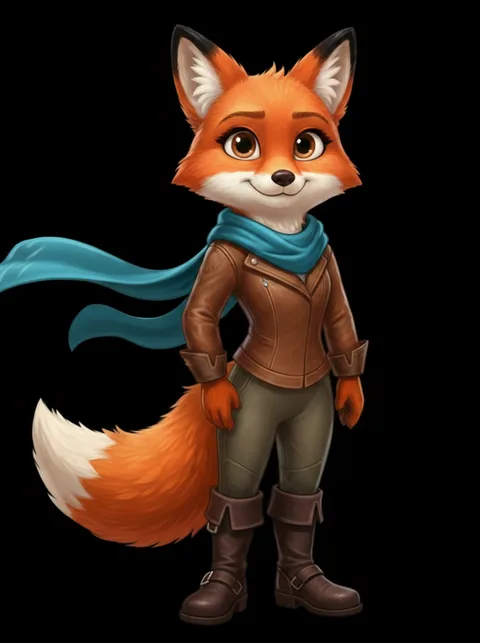
Face from one output, outfit from another, accessories from a third — the actual pixels from each, not an approximation of them. No --oref or --cref, no seed hunting, no credits.
From Midjourney grid to combinatorial variations.
The combinatorial engine extracts exact pixel regions and computes every possible assignment. No AI, no hallucination — the face from image 3 is the actual face from image 3.
You've tried these. Here's what Compix does differently.
--oref / --cref (character reference)
Guides Midjourney to generate NEW images matching a reference. On today's default version the parameter is --oref, and adding it silently runs your prompt on the V7 engine: twice the GPU time of a regular V7 image, one reference image only, and no Vary Region, Pan, Zoom Out, Fast Mode, or Draft Mode while you use it. On V6 the same job was --cref. Either way, the docs themselves note that intricate details may not perfectly match your reference, and you get images SIMILAR to it, not EXACT combinations of your best parts.
Vary Region
Regenerates ONE region of ONE image using AI. Costs credits. Result is random: you can't specify "use the face from image 3." You can only tell Midjourney "regenerate this area" and hope it gives you something good.
Seeds + prompt engineering
Trying to reproduce a specific result by controlling randomness. Works sometimes, fails often. You're fighting the model's stochastic nature instead of working with the outputs you already have.
Compix combinatorial mixing
Takes your EXISTING Midjourney outputs. Extracts exact pixel regions using freeform shapes. Combines them in every mathematical combination. The face from image 3 is the ACTUAL face from image 3, not an AI approximation. 9 images × 3 shapes = 6,500+ variations. Zero credits. Zero generation.
From Midjourney grid to 6,500+ character variations.
Download your best Midjourney outputs
Pick the 5-15 images from your Midjourney generations that have the best individual parts: best faces, best outfits, best poses, best accessories. They don't need to be perfect. They just need to have at least one great region each.
Drop them into Compix
Upload all images at once. One becomes your anchor: the base character. The others become your variation sources. Lock them to the same coordinate space in a click.
Draw shapes on the swappable regions
Draw a freeform shape around the head. Another around the outfit. Another around the accessories. Each shape defines one axis of variation. Inside each shape, you instantly see that exact region from every other image.
Generate every combination
Hit Generate. The combinatorial engine produces every possible assignment: face from image 1 + outfit from image 4 + accessories from image 9, then face from image 2 + outfit from image 4 + accessories from image 7, and so on. 9 images × 3 shapes = 6,500+ unique results. Each one is pixel-perfect.
From /imagine to variation library: the Midjourney-specific details.
Midjourney’s own flow shapes your inputs. Generate with /imagine, then upscale your grid picks: U1 through U4 give you separate full-resolution files, and those upscales are the right sources for mixing, because there is more pixel detail inside every shape you draw. Download them all. Filenames don’t matter: Compix reads the pixels.
Version drift is your raw material. The same character prompted across V6 and V7, or standard versus Niji, drifts in exactly the ways that make good variation sources: the rendering style shifts while the character survives. Drop the whole set together. Cross-version combinations work because the extraction is pixel-based, not model-based.
If your Midjourney version still supports --sref or --cref, or you are using Omni Reference (--oref), which runs your prompt on the V7 engine, keep using them: they raise the baseline consistency of your batch, which makes every drawn shape cleaner. Compix starts where they stop. --cref gets the batch close; the combinatorial engine gets you every arrangement of the parts that still differ.
One practical rule: mix images generated at the same aspect ratio (--ar). Matching dimensions keep the pixel lock exact: a 2:3 portrait and a 16:9 scene will not align.
For Midjourney users
Do Midjourney upscales (U1–U4) work better than grid crops?
Yes. The upscaled files carry the pixel detail that freeform extraction samples from. A cropped grid quadrant works, but it is a quarter of the resolution: shapes cut from it will look softer inside a combination. Upscale first, then download, then drop.
Does this work with Midjourney V7? ▸
Can I use upscaled Midjourney images? ▸
Will Midjourney ever build this feature? ▸
Are my images uploaded to a server? ▸
Do Midjourney upscales (U1–U4) work better than grid crops? ▸
The complete post-generation workflow for Midjourney.
The Full Variation Math
How 9 images become 72 combinations with 1 shape, and 6,500+ with 3 shapes. The detailed guide. See the math →
Combine Parts From Different Images
The practical guide to taking the face from one image, the outfit from another, and getting every combination. How to combine →
Detect Character Drift
Blink comparison catches drift that reference parameters and seeds miss. Spot exactly where your character changed between generations. Detect drift →
The Combinatorial Engine
How the combination engine works under the hood. The formula, mixing vs AI blending, and why generation platforms won't build this. Read more →