Stop doing one swap at a time.
Get every combination.
Take the face from image 1, the outfit from image 3, the boots from image 7, automatically, in every possible combination.
You generated 10 great AI images. Each one is 90% perfect. The face in image 3 is exactly right, but the outfit in image 7 is better, and the accessories in image 9 are what you actually need. In Photoshop, combining those means lasso, paste, mask, blend, for ONE combination. You need 50. Compix draws freeform shapes on each region, then generates EVERY possible combination. 9 images × 3 shapes = 6,500+ unique variants. In seconds. Everything runs in your browser and nothing uploads: an account stores your email, never an image. Mix uses a free account; comparing two images needs none.
THE MECHANIC, RUNNING
Four of the 6,552. Click any source.
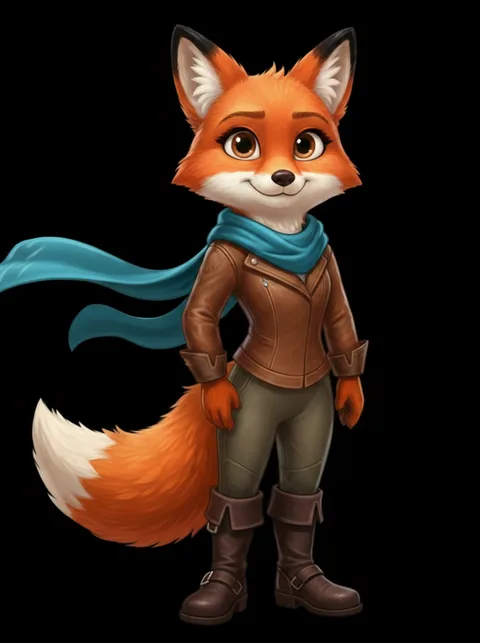
Every one of these is pixel-exact material lifted out of generations you already paid for. No model runs, nothing is approximated, nothing is re-rendered. Draw one shape on nine sources and you have seventy-two; three shapes and you have 6,552.
The combinatorial math: why a few shapes explode into hundreds of images
Every closed shape you draw is a slot, and every enabled image is a candidate for that slot. With 3 source images and 2 shapes, each shape can show any of the other sources' pixels: that's already 8 distinct outcomes from one afternoon of generation. Add a third shape and the same 3 images yield 26. Ten images and 3 shapes: over 600 unique combinations, every one assembled from pixels you already approved: zero new generations, zero credits, zero drift.
This is the practical difference from regenerating: a new seed changes everything at once; a combination changes only what you circled. When you need "this exact character, but with the other image's hands," regeneration is a lottery — recombination is a decision.
Part of the wider post-generation workflow · scale it with controlled variations.
Your perfect character is split across 10 images.
You generated a batch. Some images nailed the face but the outfit is wrong. Others have the perfect outfit but the expression drifted. Others got the accessories right but nothing else. The perfect image doesn't exist in your batch — but every PART of it does.
What you do today
Open Photoshop. Lasso the face from image 3. Paste it onto image 7. Mask the edges. Adjust the blend. That's ONE combination. It took 10 minutes. You need 50 more. Each one is manual. Each one takes time. The math works against you: with 10 images and 3 regions, there are nearly 10,000 possible combinations. Nobody is doing that by hand.
What face swap tools do
One face onto one body. One swap at a time. Upload image A, upload image B, get result C. Better than Photoshop, but still manual. Still one-at-a-time. And most face swap tools use AI to blend, which introduces hallucination: the result isn't your exact pixels, it's an AI approximation.
What Compix does instead
Upload all 10 images. Draw a freeform shape around the head. Draw another around the outfit. Draw another around the accessories. Hit Generate. The combinatorial engine computes EVERY possible combination: 6,500+ unique variants. Each one is pixel-perfect. No AI model runs. No blending, no hallucination. Your exact pixels, reassembled in every mathematical combination.
Draw shapes. Get every combination.
No masking. No layers. No Photoshop. Draw the regions, the math does the rest.
Upload your AI images
Drop all your character variants: Midjourney outputs, Stable Diffusion batch, ComfyUI renders. Any AI-generated images that share roughly the same framing. One becomes your anchor (the base character), the rest become your source pool.
Draw shapes around swappable regions
Click the shape tool. Draw a freeform shape around the head: that's your first swappable region. Draw another around the outfit. Another around the accessories, the weapon, the background, the hair: any region you want to mix. Each shape defines one axis of variation.
Hit Generate: get every combination
The combinatorial engine takes over. For every shape, it has N source options (one from each image). It computes every possible assignment: face from image 1 + outfit from image 4 + accessories from image 9. Then face from image 1 + outfit from image 5 + accessories from image 2. Every permutation. 9 images × 3 shapes = 6,500+ unique results.
Browse, select, export
Scroll through your combination grid. Every image is full resolution, pixel-perfect. No AI hallucination: these are your exact original pixels, reassembled. Find the combinations that work. Export individually or batch-download as a ZIP. Your perfect character was in there all along.
More images × more shapes = exponentially more combinations.
This isn't approximate. This is the exact math the engine computes.
Each face swap tool would need 6,552 separate operations to produce what Compix generates in one click. And face swaps use AI, introducing hallucination and drift. Compix uses your exact pixels.
This is not AI blending.
This is combinatorial reassembly.
When you hear "combine AI images," most tools think you mean "blend two images together using a neural network." That produces a new, AI-generated hybrid: unpredictable, hallucinated, consuming GPU and credits. Compix does something fundamentally different.
AI blending (Midjourney /blend, Fotor, etc.)
Feeds images into a neural network. The AI interprets both and generates a new hybrid. Result is unpredictable. Uses GPU and credits. The output pixels don't come from your original images: they're hallucinated by the model. Good for creative exploration, bad for precise character work.
Combinatorial reassembly (Compix)
Extracts exact pixel regions from your existing images using freeform shapes. Reassembles them in every mathematical combination. No neural network runs. The output pixels ARE your original pixels: deterministic, repeatable, exact. The face from image 3 is the actual face from image 3, placed pixel-perfectly onto image 7's body. Blend asks the model to try again. Mix keeps what you already chose.
When you need the best parts from every image.
Character design
Generated 50 character variants in Midjourney. 10 are usable. The perfect character is scattered across all 10: face from one, armor from another, pose from a third. Combine them all.
Game asset creation
Need 100 NPC variations for your game. Generate 10 base characters with different features. Compix combines them into hundreds of unique variations. Each one is a real, exportable asset.
Comic & storyboard consistency
Your character needs to look consistent across 30 panels. Generated the poses you need but the face keeps drifting. Extract the best face and combine it with every pose.
Fashion & outfit exploration
Same model, different outfits. Instead of regenerating with each outfit prompt, generate the outfits separately and combine them onto your base model. See every outfit combination at once.
Common questions about combining AI images
Do the images need to be the same size and alignment? ▸
Can I combine images from different AI generators? ▸
How is this different from Photoshop compositing? ▸
Is this free? What's the catch? ▸
Why won't Midjourney or Leonardo build this feature? ▸
Combine is one step. Here's the full pipeline.
Create 6,500+ Variations
The detailed guide to freeform region extraction and the compound math behind the variation engine. See exactly how 9 images become 6,500+ combinations. Full variation guide →
Detect Drift First
Before combining, blink your batch to find which regions drifted and which are consistent. The diff heatmap shows you what's worth extracting. Drift detection guide →
7-Step Workflow
The complete post-generation pipeline: compare, detect drift, extract regions, combine, composite, animate, export. See the workflow →
Midjourney Workflow
Combining parts from your Midjourney grid: no --cref, no re-prompting, no drift. Midjourney guide →